
Showing posts with label Beth. Show all posts
Showing posts with label Beth. Show all posts
Friday, 4 April 2014


Wednesday, 19 March 2014
Making Our Own Trailer Rating Card
When we originally were working on our trailer, we included the rating card below at the beginning of the trailer.

We later decided that instead of using this pre-created screen, we wanted to make our own. We also did this as the rating on the original is Restricted, however the BBFC classification we have chosen for our trailer is a 15.
We began by finding a black rating card, we used this as a template to help us create our own.

We created ours in word by inserting a black rectangle and adding text boxes over this in order to created the spaces for the appropriate text. Once we had the layout accurately worked out, we adjusted the text in each of the sections to suit our trailer, resulting in our finished rating card being specifically designed to suit our trailer.

Sunday, 16 March 2014
Poster development
The Powerpoint below shows the changes we made to the poster from our initial design to our end product
Thursday, 13 March 2014
Research on posters
As well as analysing existing posters to find out the conventions, we also looked for advice and information about how posters are laid out.
On the Wikihow UGC site, we found a number of articles about film posters, but the one below seemed the most valuable:
And this is what we decided from it


Evaluation Question 4
How did you use new media teachnologies in the construction and research, planning and evaluation stages?
Please note this is best viewed in youtube in a sperate window.
The video below serves as a main menu to the answer to my evaluation question, I have used Youtube spotlights to make it interactive.
To view each video about the individual digital technologies, please simply play the video and click on the logo of the technology you wish to see, at the end of each video is an annotation with a link to return to the main menu so if you want to return at any point, skip to the last ten seconds of the video and click the red annotation box
Please note this is best viewed in youtube in a sperate window.
The video below serves as a main menu to the answer to my evaluation question, I have used Youtube spotlights to make it interactive.
To view each video about the individual digital technologies, please simply play the video and click on the logo of the technology you wish to see, at the end of each video is an annotation with a link to return to the main menu so if you want to return at any point, skip to the last ten seconds of the video and click the red annotation box
Tuesday, 11 March 2014
Initial Storyboard
For our film trailer we drew a storyboard to aid the planning process before we went out to film. Since we created this storyboard, we developed it further and since have produced a new storyboard. This is the result of our initial storyboard;
Friday, 7 March 2014
Font Decisions
From our previous research we decided on a sans serif non-handwritten decorative font, so we explores some possibilities and the decision is show below
Thursday, 6 March 2014


Tuesday, 25 February 2014
Monday, 10 February 2014
Creating an interactive map
We wanted to create an interactive map of all of our filming locations, so we could not only see what distance they are away from eachother for planning and scheduling purposes, but also so we can visualise which route to take and where we will film the shots from.
To do this I used Google maps.
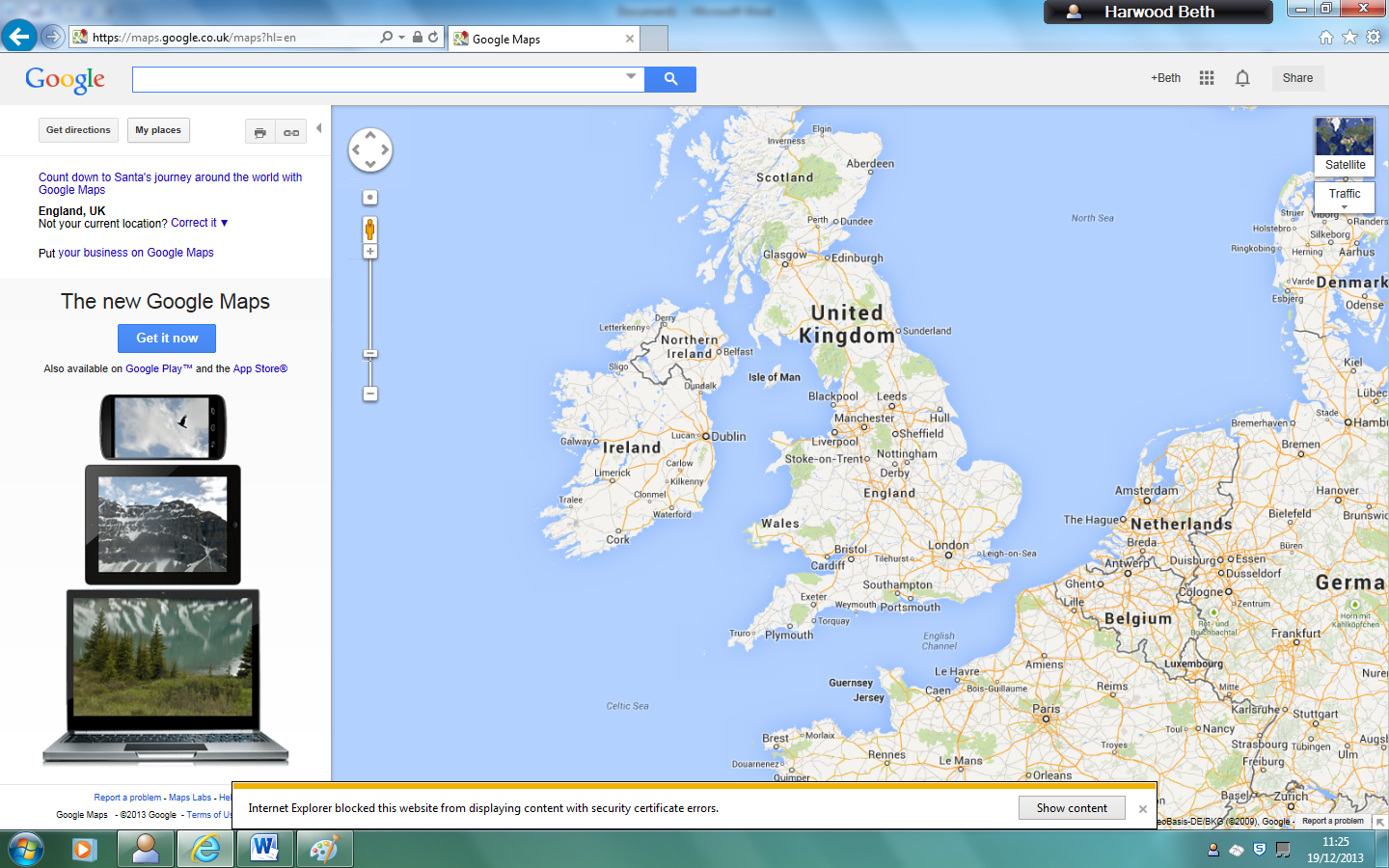
I logged in to my google account then clicked my maps, then create new map.

I then clicked create new marker and marked the first place of filming; Borough green train station

Then we decided to try to add a picture so that the map would be interactive, so we could click on any of our filming locations and see what they actually looked like.
We chose to use the pictures from Google street view.
So I print screened the Google streetview of our first location

However we discovered that you can't upload pictures directly from the desktop, it must be a web address.
First we tried using the free Google drive account to upload it however when we copy and pasted the sharing link it came up with a black screen.
We then checked the privacy settings and changed it to public
However it still didn't work.
So we Googled it and read through this Google answers forum
We attempted using Google Picassa but unfortunately it is blocked on the school system
So we then created a Flickr account, however this was also incompatible with the google maps system
We also tried creating a Photobucket account.

We uploaded the print screens of Borough Green station however we found even when we copied the address of the picture itself into Google Maps it still didn't work

We finally decided to concentrate on creating the locations on the map rather than the photos and found a way to change the icons on Google maps to represent different things

We chose to use small dots for short tunnels on the train, semi-circle with a dot in it for long tunnels on the train, the train icon for stations, waves for bridges, a P for the car park, a bed for the bedroom, a dollar sign for the bank, and a shopping bag for the shopping spree location.

Also we used the create line feature to show the route we would be walking. We made it a circular route to make the most of our time filming, and to avoid visiting the same locations twice, as it meant we could see as many different London streets as possible.
Problems with iMovie
The project on iMovie became corrupt, this meant that we could not access any of the project to continue with editing it. We tried to put the project onto a memory stick and transfer it onto a new Mac, however had the same problem again with the file being corrupt. Due to this, we had to re-upload all of our raw footage onto the new Mac from the iPhone and start editing again.

Friday, 7 February 2014
Interesting shots
From this we have decided to experiment with focus pulls, dolly out zoom in, lighting on an extreme close up of the eye, the close up of the fist, the soom in to the peephole then zoom out of the eye
We liked the inside the car shot and the frantic zoom movement, although we felt that this could potentially give the trailer a slightly comedic feel which is something we wanted to avoid
We will try to incorporate the rule of thirds and also the idea of speaking space to compose more cinematic and professional looking shots for our trailer.
Wednesday, 5 February 2014
Logo Adjustments
After looking at some trailers, we noticed our logo didn't seem to match the conventions of the famous film logos
We took inspiration from this video and decided the logo needed a more three dimensional and kinetic feel.
However we still wanted to include the abstract feel of the universe to fit with our production company name, so we researched abstract visualisations, taking inspiration from the backdrop to many independent music videos
We then researched a video on the creative commons portion of the site which meant it was copyright free so we could use it as part of our own logo
We chose this video as we felt it had the most to work with and we liked the simple colour scheme as we find it eye-catching.
We selected one section of the video and chose to run it at 800% speed to make it shorter and give it more pace.We then run the same section of clip at the same speed but in reverse to give the impression it was expanding then receding as it gives a more complete and cyclical feel.
Finally we added our production name in copperplate font as we felt it was striking and clear to read but also quite distinctive so we can create a strong sense of branding across all of our products
We also used a blur effect to make the text feel more integrated with the visualisation.
\For the sound we cut the sound that was on the videos as because we had sped it up it sounded very high pitched, so instead we separated the sound and selected a 6 second clip to accompany the visual and also faded it in and out to make it less abrupt.
Tuesday, 4 February 2014
We-Media and Democracy workshop at BFI southbank
On Thursday 23rd January we attended a talk held by the British film institute on we-media and democracy.
We learnt about the changes in production and consumption of media, and how they undermine the traditional hierarchy of media
 We also discussed the value of media texts.
-Communal value - shared purely for fun on aggregate sites such as YouTube, Vine and Flickr.
example:


We learnt about the changes in production and consumption of media, and how they undermine the traditional hierarchy of media
-Communal value - shared purely for fun on aggregate sites such as YouTube, Vine and Flickr.
example:
-Civic value - created to help society and spread information, e.g citizen journalism.
examples
- Creative value - media texts which show genuine talent, but the creators aren't professionals
example
We hope that our trailer will obtain creative value, and that we can harness the power of social media to promote and advertise our film.
Also since our film is independent, it will rely strongly on the power of we media to obtain success
Monday, 3 February 2014
Friday, 31 January 2014
Thursday, 30 January 2014

Subscribe to:
Posts (Atom)